Journal
A cross-platform productivity app for collecting and connecting your digital life.
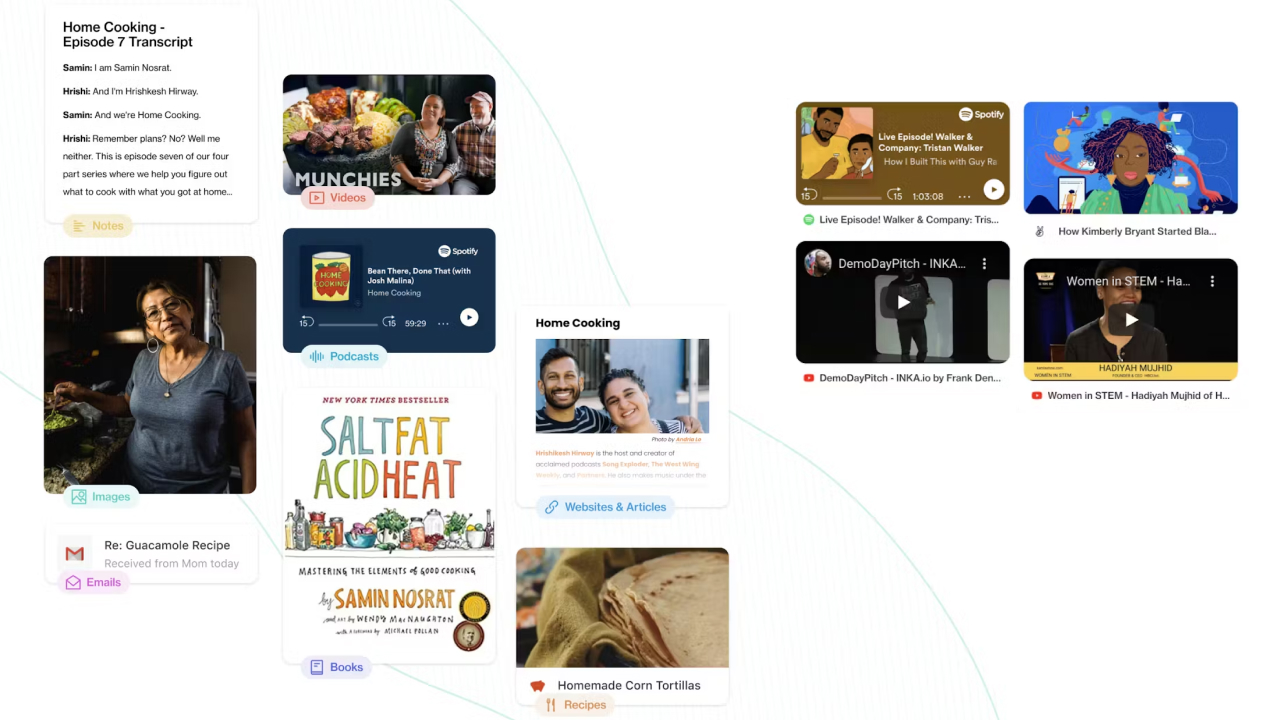
What was Journal?
- Journal was a cross-platform application built with React, React Native, and Electron that gave users a unified space to collect, organize, and annotate content from across their digital accounts.
- Users could sign in with services like Gmail, Outlook, Google Drive, Dropbox, and various social media accounts, and Journal would surface their content as a browsable collection of entities such as emails, calendar events, documents, and bookmarks, all modeled through a shared data platform powered by machine learning.
- The product drew from the sensibilities of Pinterest, Evernote, and Notion: content appeared as cards that could be arranged in lists, grids, or masonry layouts, with support for collaborative note-taking, event planning, shared spaces, and even a mental health feature designed to encourage users to step away from productivity and simply enjoy life.
How I joined Journal?
- I joined Journal as a frontend engineer while living in San Francisco, drawn to the team’s focus on design systems and the challenge of building a product that spanned desktop and mobile from a shared codebase.
- During the interview process, most of the conversation centered on the design system the team was building with Styled System, a CSS-in-JS library for composing component systems from design tokens, and how that system translated Figma designs into a consistent, themeable interface across platforms.
- I joined at a point where the app was mid-redesign, and worked closely with the head designer to accelerate the process and shape the product going forward.
Design System & Editor
-
My early work focused on building out the design system and contributing to the component library that powered the app’s interface across desktop and mobile.
- From there, I moved into deeper work on the embedded text editor, which supported collaborative editing through operational transforms managed by a backend API.
- The editor needed to feel native across platforms, which introduced its own set of challenges, particularly on mobile where embedding a web-based text editor required working around keyboard responsiveness issues and customizing the editing experience to feel as close to a native input as possible.
-
The editor’s real-time collaboration was backed by a GraphQL API, which provided the data layer for documents and entity state.
- Maintaining a live editing session required managing WebSocket subscriptions alongside the standard query layer, and ensuring that collaborative edits resolved correctly against the shared document state.
- I also explored patterns from reactive functional programming using RxJS and related libraries to manage the event-driven interactions within the editor and across the application.
Entity Caching & Mutation Handling
-
Everything in Journal was modeled as an entity, including documents, bookmarks, calendar events, and emails, and the frontend consumed these entities through a GraphQL API using Apollo Client.
- Apollo’s normalized cache gave us an entity store where each object was keyed by type and ID, which meant that a mutation in one view could propagate to any other view referencing the same entity.
- For this to work reliably, entity keys had to be standardized so that partial results from a list view could reference and merge with the full representation of an entity fetched in a detail view.
-
Getting optimistic updates right across the cache required careful coordination.
- A rename in the single item view needed to appear immediately in the list view, with a fallback path for handling failed mutations gracefully.
- Part of my role was reviewing, testing, and implementing a shared pattern of hooks and mutation functions that worked consistently across collections and entities, and making those patterns available to other team members during application development.
Collection Layouts
-
One of the more involved frontend challenges was building the collection views, which served as the primary surfaces where users browsed, reordered, and managed their content.
- The app supported list, grid, and masonry layouts, each of which needed to handle pagination, virtualization, drag-and-drop reordering, CRUD operations, and transition animations.
- List and grid views could be implemented with relatively standard tooling, but the masonry layout required a different approach. At the time, CSS alone could not produce a true masonry grid, and implementing a custom layout engine inside a React application introduced architectural friction.
-
After researching available options, I found Muuri — a JavaScript library built by a developer specializing in creative layout systems — which handled the manual layout calculations we needed without requiring us to build and maintain our own layout engine.
- However, the APIs across the list, grid, and masonry implementations were quite different, and using each independently would have fragmented the developer experience.
- I designed a unified collection API that abstracted over all three layout modes, providing a single interface for rendering items in any format while supporting drag-and-drop, CRUD operations, and animations consistently.
-
The API was designed as a generic substrate with roughly 70–80% shared logic that could be lightly configured per page without requiring duplication.
- If a masonry layout needed to behave differently on one surface than another, or if animations needed to flow in a different direction, those variations could be expressed as configuration over the shared layer rather than as forked implementations.
- This made it possible to evaluate layout decisions independently from application logic, and gave the team room to change direction on design choices without rewriting the underlying system.
Cross-Platform Work
-
Building across React, React Native, and Electron meant navigating the differences between desktop and mobile environments on a daily basis.
- On desktop, this included integrating with the native file system through Electron’s APIs.
- On mobile, the app supported share sheet integrations that allowed users to send content from their browser or other apps back into Journal.
- Each platform had its own idiosyncrasies, and much of the cross-platform work involved smoothing over those differences to maintain a consistent experience.
Observations on Team Culture
-
One of the most valuable aspects of working at Journal was the team’s approach to shipping under constraints.
- The leadership emphasized what they called “through lines to completion” — the practice of stitching together a path from the current state to a working outcome, even if imperfect, in order to evaluate whether a goal was worth the investment of a more polished solution.
- This wasn’t pressure-driven shipping for the sake of velocity. It was a deliberate practice of connecting the dots to see how something felt in reality, then deciding whether to refine or redirect.
-
The team also maintained a conscious relationship with technical debt.
- Debt was taken on knowingly and recorded, kept in a ledger of things to revisit once there was time and space to address them properly.
- This approach allowed the team to move quickly without losing track of what had been deferred, and created a culture where shortcuts were tools rather than liabilities.
-
Working under this kind of leadership, which was professional, kind, thoughtful, and mindful of time constraints without being driven purely by performance metrics, was one of the more formative experiences of my early career.